


Why Creating a Presentation Takes So Much Time
A presentation for the next client meeting needs to be put together “quickly.” In practice, this means: searching for the current template, comparing multiple file versions, clarifying details with the team, making manual adjustments, and ultimately resorting to a slide that no one can guarantee is up to date. What sounds like a routine task ties up considerable resources every day in many companies.
How much time does it really take to create a presentation?
The scale of the problem is evident in concrete figures: According to a survey by the market research firm GfK, employees spend an average of about 20 hours per month using PowerPoint. A study by the International Data Corporation (IDC) also shows that searching for content (45 percent) and obtaining feedback (42 percent) are among the biggest sources of frustration when working with documents. Over 45 percent of respondents cite presentation work as a major source of daily frustration.
This isn’t a matter of personal work style. It’s a structural problem: People who have to create presentations spend a significant portion of their time not on the actual content, but on searching for it, coordinating it, and managing multiple versions at the same time.
Where exactly the time is lost
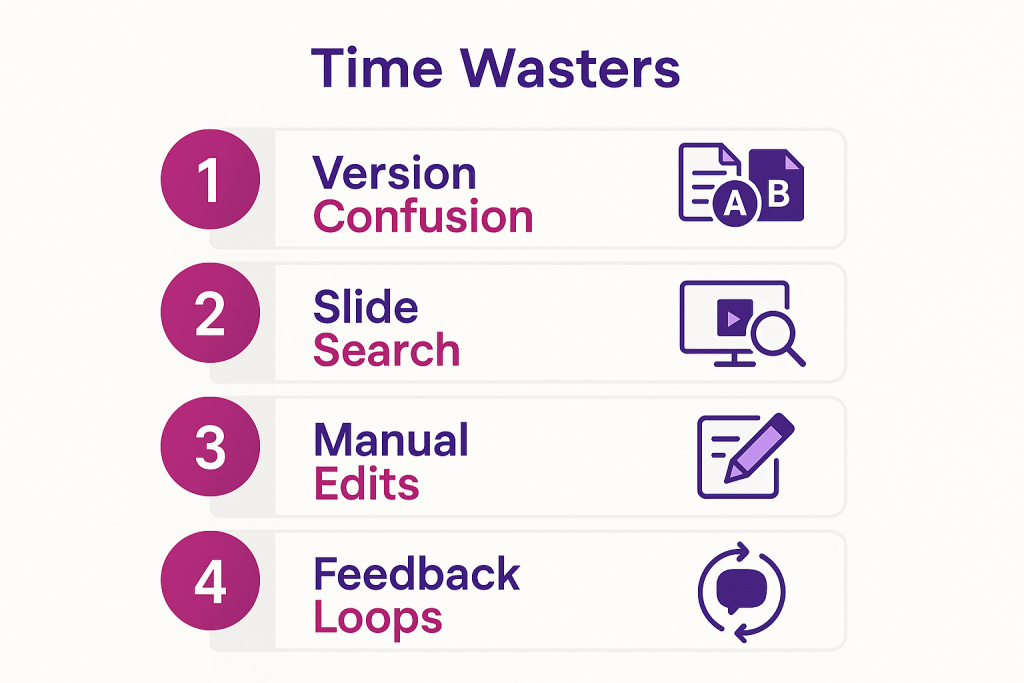
There are some clear examples of common time-wasters in the process of creating presentations:
- Version Confusion: Three employees email each other different versions of a presentation. Which one is the most recent?
- Searching for a slide deck: A sales representative knows that there is a ready-made slide deck for Product X, but it takes her several minutes to find it in the various folder structures on the network drive.
- Manual Updates: If key figures, logos, or contact information change, these updates must be manually applied to each individual presentation.
- Feedback Loops: Comments are sent via email, chat, and in separate documents. Who commented on which version?
The result is not only a waste of time, but also a loss of quality: customer presentations contain outdated content, inconsistent formatting, and, in the worst case, factually incorrect statements.
What It Takes to Give a Quick PowerPoint Presentation
The solution isn’t about typing faster or creating more templates. It lies in how presentation building blocks are organized, managed, and made available. Specifically: If you want to create presentations efficiently, you need three things at the same time.
1. A central, reliable source for all slides
As long as presentation components are scattered across local drives, shared folders, email attachments, and personal desktops, rapid creation is structurally impossible. A central library where all approved slides and templates are stored in a single location is an essential prerequisite.
When a key account manager knows, “The current product presentation is right there—always up to date, always approved,” the time spent searching is completely eliminated. This isn’t just a minor organizational step; it’s the prerequisite for everything else.
2. A modular system instead of a blank canvas
Creating a presentation today doesn’t mean starting from scratch. A modular system of pre-designed, content-reviewed, and visually consistent slide components makes it possible to create a complete client presentation by selecting and combining them, rather than designing each slide from scratch.
Particularly relevant: Mandatory chapters and slides can be defined as required components. This ensures that every presentation automatically includes the legally required notices, current disclaimers, or mandated product descriptions, without anyone having to manually verify them. This not only reduces the workload but also significantly lowers compliance risk.
3. Customization Without Extra Effort
Every client meeting is different. Nevertheless, presentations should look professional and be formatted consistently. Using a PowerPoint template only partially solves this problem as long as every adjustment has to be made manually.
Modern systems make it possible to integrate variables such as customer name, contact person, or location into a presentation, which are automatically populated upon export. This allows you to create a personalized presentation in seconds, without any formatting risks.
Creating PowerPoint Presentations Without Version Confusion: What a Central Content Hub Can Do
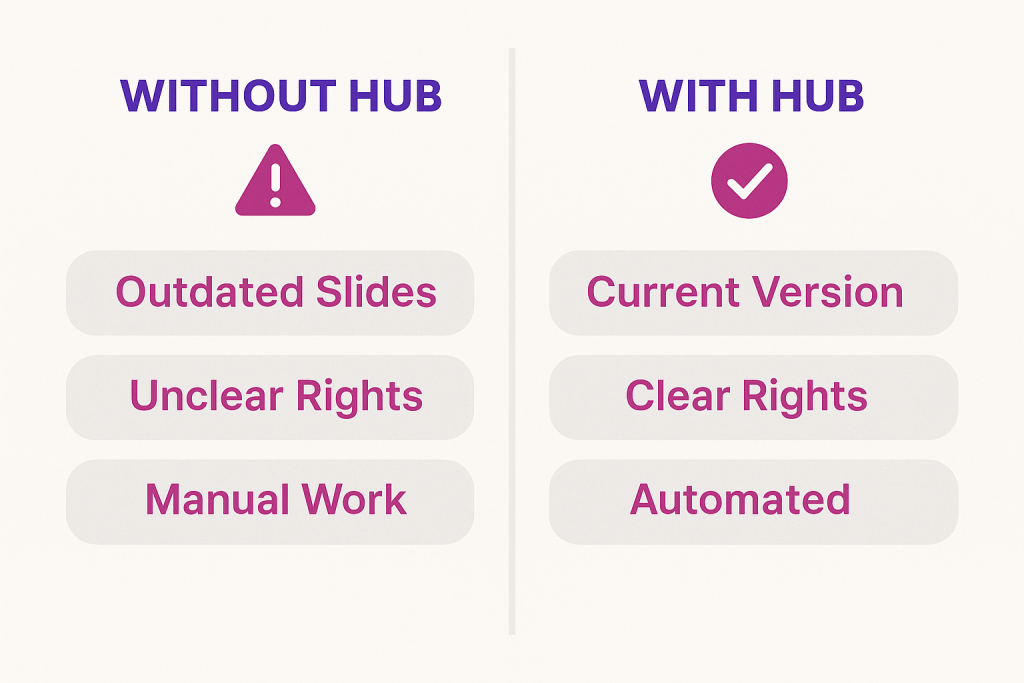
A central content hub for presentation management systematically resolves the problems described. Instead of relying on many individual solutions (shared network folders, email, manual updates), such a system brings all relevant functions together under one roof.
Nucleus Research concludes that companies can reduce the effort involved in presentation management by up to 50 percent by using the right software. This is not just a theoretical promise; it reflects what users actually experience when search times, coordination loops, and manual updates are eliminated from the process.
The key here is the approach: not just new software for creating presentations, but a system that covers the entire lifecycle—from centralized provisioning and collaborative editing to controlled publication and usage tracking.
This approach is particularly relevant in regulated industries such as banking and insurance. In these sectors, presentations must comply with strict compliance standards, go through approval processes involving multiple stakeholders, and be able to be locked or unlocked in real time. Anyone at a financial institution who creates a client presentation using PowerPoint and inadvertently relies on an outdated risk classification not only jeopardizes the quality of the presentation but also potentially violates regulatory requirements. According to a survey by the market research institute GfK, approximately 70 percent of presentations used across all industries do not comply with regulatory standards.
With a smart content hub like Leanr, approvals can be granted or revoked with a single click, ensuring that sales teams have real-time access only to the current, approved version. This eliminates time-consuming email coordination and prevents the unintentional dissemination of incorrect information.
The article ” Content Hubs as a Driver of Success for Sales Management” illustrates how such a hub transforms the entire sales management process.
Creating Presentations: A Real-World Example from Everyday Sales
A real-world scenario illustrates the difference: At a medium-sized financial services company, each of the 40 sales representatives creates their own presentation before client meetings. The result: inconsistent cover pages, outdated product data in some versions, and missing required slides in others. Quality assurance falls to the team leader, who reviews each presentation individually before every important meeting.
A centralized presentation management system fundamentally changes this process. The team leader defines the required structure once. Each sales representative selects the modules relevant to the customer, fills in the variables, and exports the finished presentation. The entire process takes less than two minutes. Quality checks are no longer necessary because they are already built into the structure.
Companies such as DZ Bank and DZ Privatbank are achieving similar results by using Leanr specifically for this use case: standardized presentations, controlled content, and measurable usage without any manual effort.
Creating Presentations as a Team: Collaboration Without Friction
In addition to working alone, collaborative work on presentations is a common source of inefficiency. Anyone who has had multiple teams work on a shared template knows the result: parallel versions, comments in different channels, and unclear responsibilities.
A centralized system allows for precise control of roles and access rights. Who is allowed to edit which slide? Who has read-only access? Who must approve a change? These questions are not resolved on a case-by-case basis via email, but are defined once in the system configuration. This applies to marketing templates as well as sales presentations and project management reports.
For teams that are actively working on creating presentations collaboratively, it’s worth taking a closer look at the article on efficient collaboration when creating presentations.
As an intelligent presentation management hub, Leanr combines a central library, a modular building block system, approval controls, and usage analytics into a single application. Sales representatives can access approved, up-to-date content, customize presentations with variables in seconds, and export the results directly—without having to search for a single file or update it manually. With the ROI calculator, you can determine how much time your organization can save through structured presentation management.
Conclusion
Creating a presentation is rarely the real problem. The problem lies in the processes leading up to it: a lack of a central repository, unclear version control, manual updates, and coordination efforts that could be avoided. Those who streamline this process with a central content hub not only save time but also gain quality, consistency, and control over what is presented to the outside world. This applies to individual sales representatives as well as to entire organizations in regulated markets.
If you’d like to see how Leanr maps out this process in practice, schedule a demo and watch a complete presentation being created live.
Frequently Asked Questions (FAQ)
How long does it take to create a professional PowerPoint presentation? The actual design work itself is often not the problem. Search times, back-and-forth coordination, and manual updates can mean that creating a client presentation takes several hours. Companies that use a central content hub report that the time required for standard presentations has been reduced to less than two minutes, because all the building blocks are ready, reviewed, and available on demand.
What is the difference between a PowerPoint template and a presentation management system? A PowerPoint presentation based on a template provides a basic visual framework, but does not address issues such as content currency, version control, or approval. A presentation management system goes a step further: It ensures that all users have access to the same, up-to-date version, manages access rights, and enables usage tracking without the need for manual maintenance.
How can compliance requirements be met when creating presentations? In regulated industries such as financial or insurance services, mandatory slides, liability notices, and approved wording must be an integral part of every client presentation. A modern presentation management system allows such slides to be designated as mandatory and locked, so that they cannot be deleted or modified. This ensures compliance with regulatory requirements through built-in safeguards, rather than relying on the diligence of individual employees.
Can presentations be customized in a centralized system without compromising the corporate identity? Yes. Systems with variable functionality allow you to automatically insert customer-specific information such as names, locations, or contact persons, while all other formatting specifications remain fixed. Personalization and a consistent corporate design are therefore not mutually exclusive, but rather complement each other.
What happens if a slide or a chapter needs to be updated? In a centralized presentation management system, a single update to the source is all that’s needed. All presentations that contain this slide or chapter will then automatically display the updated version. Manual updates to individual files are completely eliminated, which saves a considerable amount of time—especially when dealing with frequently changing metrics, product information, or legal texts.