


Why most only know PPTX (and ignore PPSX)
You save a PowerPoint presentation and see two options in the file selection: PPTX and PPSX. Most people click on PPTX without thinking, because that’s the default – but then they send the file to a client and instead of going straight into the presentation, PowerPoint opens in edit mode, so the client sees the notes, can accidentally delete slides and the professional first impression is gone.
PPSX would solve this problem, but very few people know that it exists. The file extension is hidden in the save dialog behind a drop-down menu that most people never open, while PowerPoint does not explain when which format is appropriate. The result: millions of presentations are sent in the wrong format.
The difference between PPTX and PPSX is simple but crucial: PPTX is the working format for the editor and your team, while PPSX is the presentation format for the audience. If you understand this, you will appear more professional, avoid awkward moments and save yourself and others time.
What is PPTX? The standard working format for PowerPoint presentations
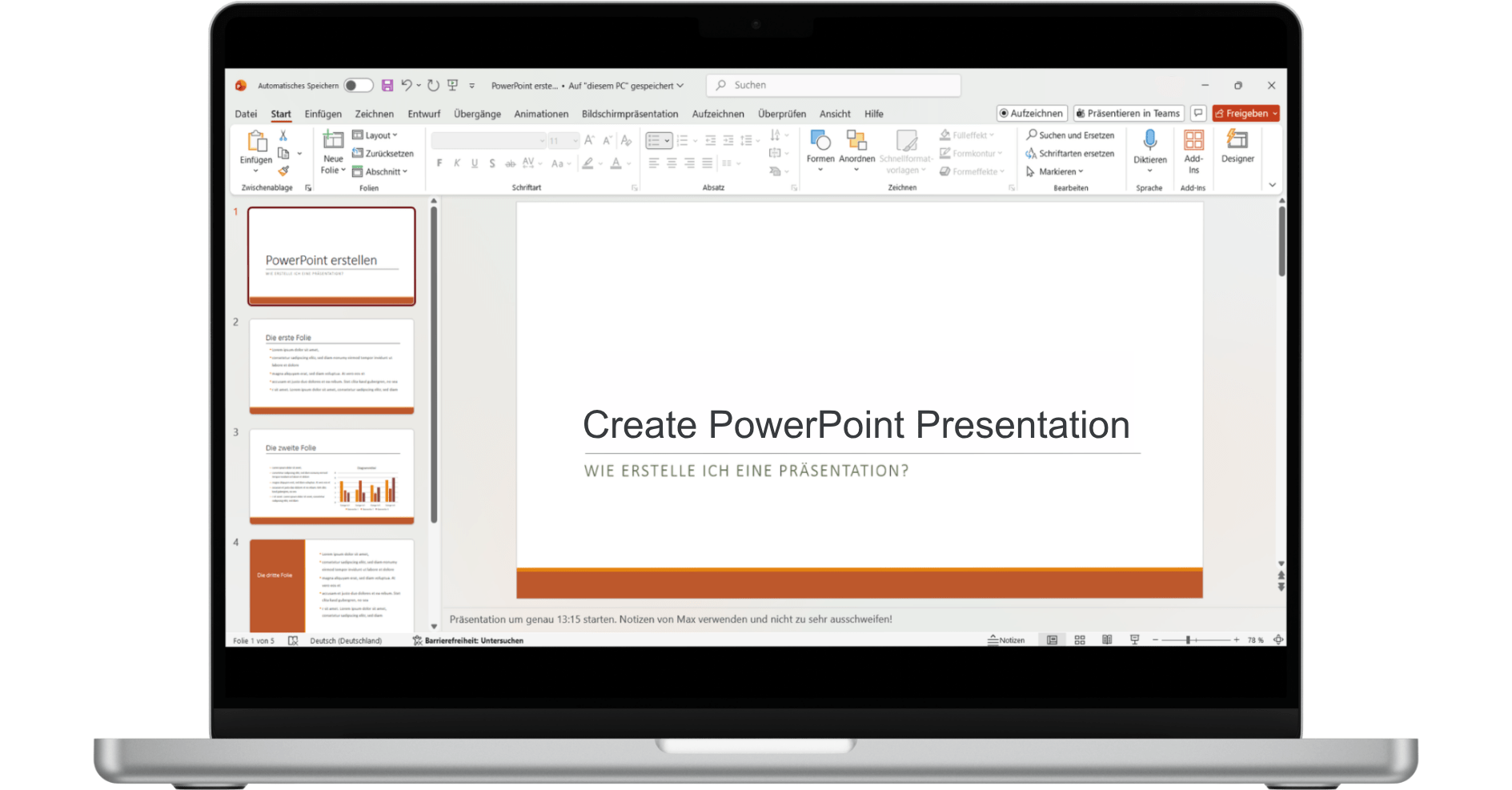
PPTX is the standard format of PowerPoint since version 2007, whereby the file extension stands for “PowerPoint Presentation” and indicates that this file is intended for editing. If you double-click a PPTX file, PowerPoint opens in normal editing mode. There you can see the menu bar, the slide overview on the left and the notes at the bottom. You can change texts, rearrange slides, insert images and adjust animations. PPTX is the format for working on the presentation – if you are preparing a customer presentation, collaborating with colleagues on a pitch deck or archiving a presentation and want to edit it later, you work and save in PPTX.
PPTX is the format for working on presentations – if you are preparing a customer presentation, collaborating with colleagues on a pitch deck or archiving a presentation and want to edit it later, you work and save in PPTX.
What is PPSX? The presentation format for your audience
PPSX stands for “PowerPoint Show” and is the counterpart to PPTX for pure presentations. When you double-click a PPSX file, PowerPoint does not start in edit mode, but opens the presentation immediately in full-screen mode – no menu bar, no slide overview, no notes. Just the slides, one after the other.
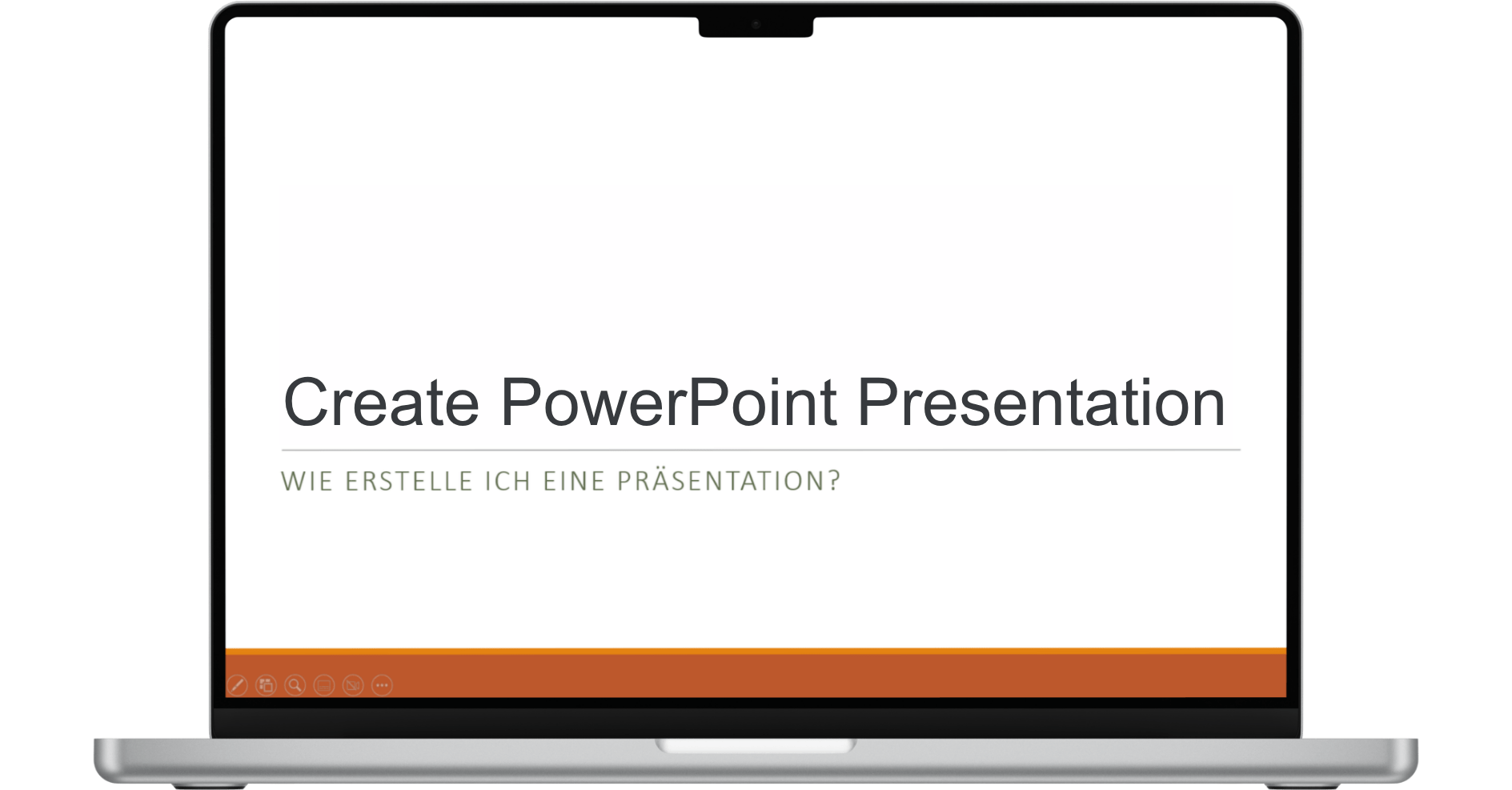
PPSX is the format to use if you want someone to view the presentation, not edit it – are you sending a finished presentation to a client, preparing slides for a conference or want to make sure that no one accidentally changes the slides? Then use PPSX.
The four key differences between PPTX and PPSX
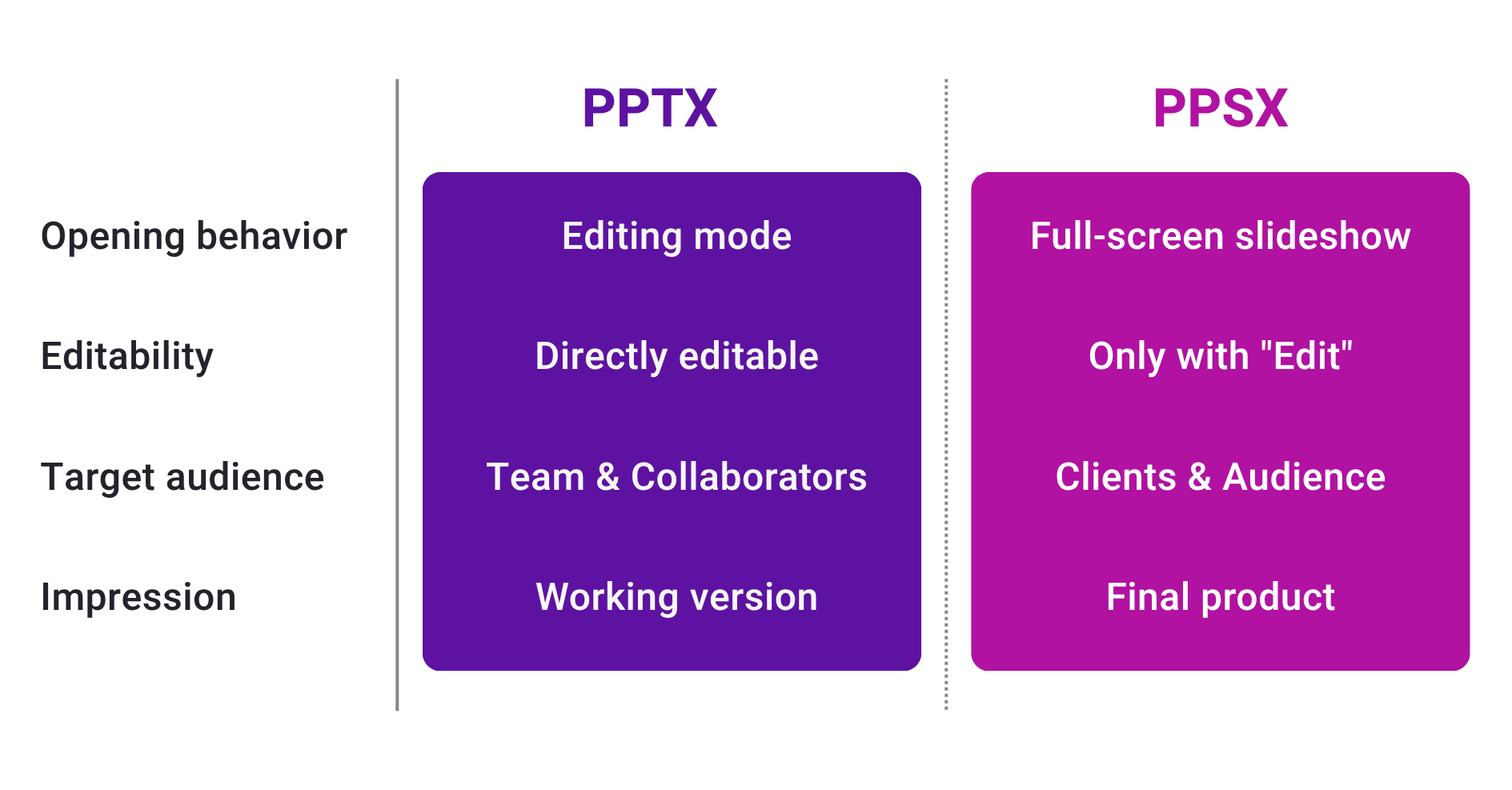
Difference 1: Opening behavior
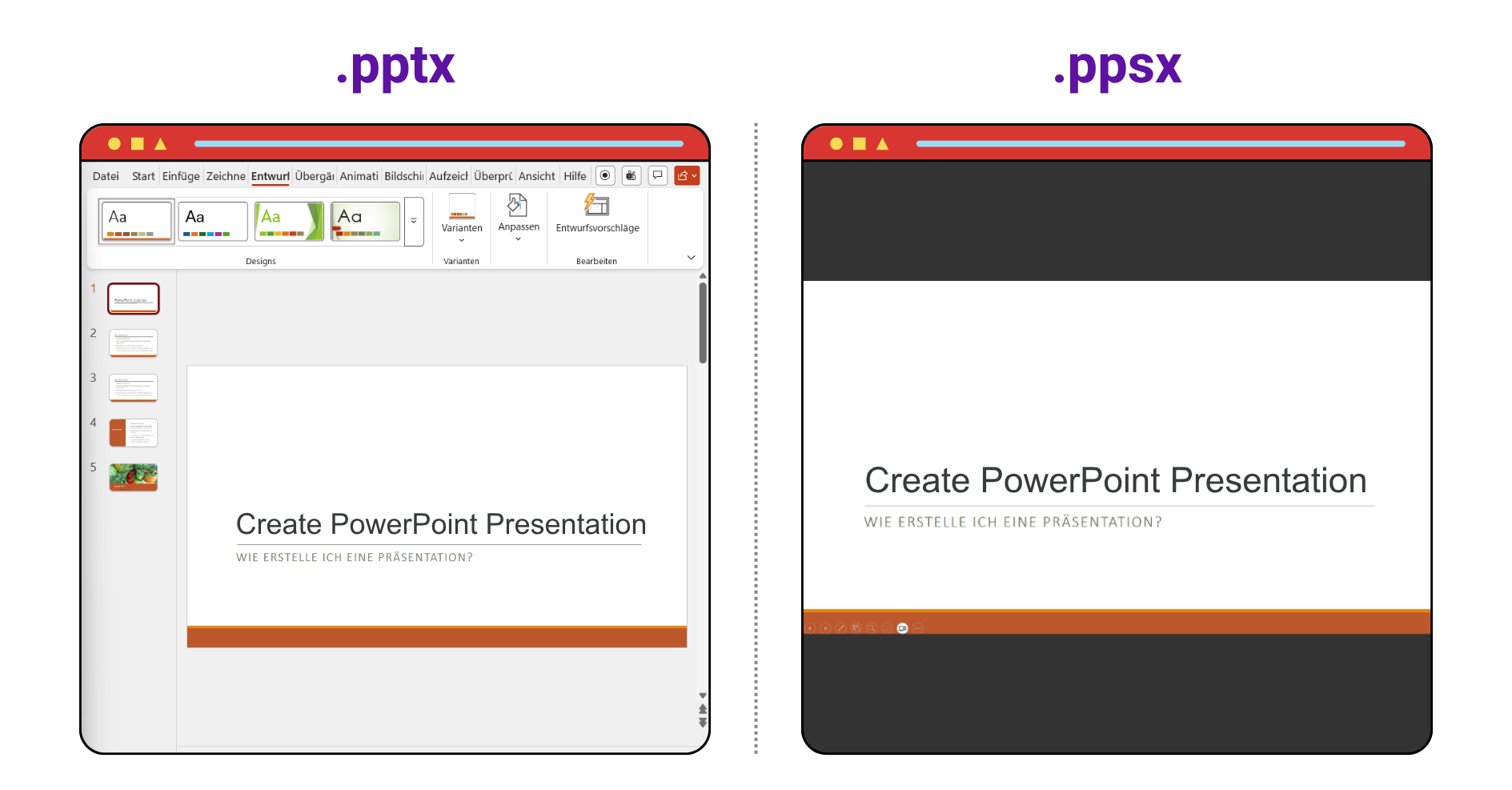
PPTX opens in edit mode with menu bar and slide overview, while PPSX immediately starts the presentation in full screen – this difference determines the primary use case.
Difference 2: Machinability
PPTX is directly editable, while PPSX is not directly editable and you have to consciously select “Open with PowerPoint”, which prevents accidental changes.
Difference 3: Target group
PPTX is designed for creators and collaborators – the team – while PPSX is designed for viewers and stakeholders such as customers and external audiences.
Difference 4: Professional impression
PPTX shows notes, slide overview and sometimes comments, which looks like a working version, while PPSX only shows the final product in full screen and thus looks polished and professional.
When should you use PPTX and when should you use PPSX?
Use PPTX when…
you are working with others on the presentation and want colleagues to add slides or correct text; you want to archive the presentation for later reuse or create templates for others to adapt – in all these cases PPTX is the right format.
Use PPSX when…
you want to send a finished presentation to external recipients such as customers, partners or investors who should view but not edit it; prepare a presentation for a conference that should start immediately in the right mode; or create a self-running presentation for exhibition stands or digital signage – PPSX is ideal for all these scenarios.
How to convert between PPTX and PPSX
Convert from PPTX to PPSX
Open the PPTX file in PowerPoint, click on “File” → “Save as” and select the option “PowerPoint slide show (*.ppsx)” in the “File type” drop-down menu, save the file and you’re done – the original PPTX file is retained so that both versions are now available: one for further editing and one for sharing.
Convert from PPSX to PPTX
Right-click on the PPSX file and select “Edit” or “Open with PowerPoint” so that the file opens in edit mode, then click on “Save as” and select PPTX as the format.
Practical example: The difference between amateur and professional
A sales manager prepares an important customer presentation, works on it for two days and then sends it to the customer by email in PPTX format, as usual. The customer opens the file, PowerPoint starts in edit mode, the customer sees the slide overview, accidentally clicks and moves a slide, reads “Check these figures again” in the notes and the professional first impression is damaged.
The same scenario, but the sales manager knows the difference: he works in PPTX, but saves as PPSX before sending, so that the presentation starts immediately in full screen when opened – no notes, no accidental clicks, just perfectly designed slides.
The three most common mistakes when choosing a format
Mistake 1: Only ever use PPTX
The most common mistake is to use only PPTX, which technically works, but external recipients get to see a working version where they should see the final product.
Error 2: Using PPSX for collaboration
Sending a presentation as a PPSX to colleagues who are supposed to continue working on it leads to colleagues not understanding why they can’t work on it directly, which is frustrating.
Error 3: Leave notes in PPSX files
Saving the presentation as PPSX but forgetting to remove the notes can be embarrassing if the recipient opens the file and sees all the internal comments.
How Leanr makes you independent
PPTX or PPSX – this is ultimately a symptom treatment for a deeper problem: anyone who sends presentations by email loses control. The recipient receives a file, opens it whenever they want, in whatever format, and what happens afterwards remains in the dark.
Leanr solves this problem fundamentally – and in many cases makes the question of the right format for external recipients obsolete.
Sharing instead of attaching
Instead of sending a presentation as PPTX or PPSX by email, Leanr users share their presentations via a link. The recipient opens the presentation directly in the browser – without PowerPoint, without format questions, without the possibility of accidentally changing anything. The presentation is always displayed as it is intended: as a finished, professional presentation. Full screen, polished, controlled – exactly like PPSX, but without the sender having to think about it.
Full control over what is shared
While a PPSX file sent by e-mail makes its own way through inboxes, downloads and forwarding, Leanr offers targeted control options:
- Optional password protection – only those who know the link and password can open the presentation
- Time limit – the link expires automatically after a defined date
- No download necessary – the presentation remains on the Leanr server, nothing ends up uncontrolled on other people’s hard disks
- Always up-to-date – if something changes after sending, the content is automatically updated. The recipient sees the current version the next time they open it – without having to send a new file
Knowing what is really happening – tracking insights for sales
This is the point at which Leanr goes beyond what PPSX can ever achieve: Anyone who sends a file by email – whether PPTX or PPSX – does not know whether the recipient has ever opened it. Whether they fell asleep on slide 3. Whether they made it to the end.
With Leanr, sales staff know exactly what to do:
- Has the presentation been opened? And when?
- How long was it viewed? Total duration and per slide
- Which films received the most attention? What was the recipient really interested in?
This is not just nice additional information – these are concrete sales signals. If you know that a customer has viewed the price slide three times, you know when they should call. Anyone who sees that a presentation has never been opened knows that the email has landed in the wrong inbox or that the timing was not right.
The best of both worlds
PPTX remains the right format for internal work – for teams that work together on presentations, revise slides and coordinate content. Leanr supports precisely this process: with version control, structured approval processes and the ability to automatically apply changes to individual slides to all presentations in which they are included.
For everything that goes out – to customers, partners, investors – Leanr makes the format irrelevant. The recipient always gets the right view, the sender retains full control and both sides save time.
Conclusion: format decisions are symptoms
PPTX or PPSX – this question arises because presentations are treated as files that are sent, downloaded and stored somewhere. Understanding presentations instead as living, controlled content that is maintained centrally and shared in a targeted manner solves the real problem.
The format is then only a technical side note.
Frequently Asked Questions (FAQ)
Can I edit a PPSX file?
Yes, but not by simply opening it – right-click and select “Edit” or “Open with PowerPoint” to open the file in edit mode.
Is the file size of PPSX smaller than PPTX?
No, the file size is identical, as PPSX contains the same content and there is no additional compression.
Can I open PPSX files on Mac?
Yes, PPSX works on Mac just as it does on Windows, as PowerPoint for Mac and Keynote can open PPSX files.
Should I use PPSX for all external presentations?
In most cases yes, because if you want someone to view your presentation rather than edit it, PPSX is the better choice.
Do animations and transitions work in PPSX?
Yes, absolutely – PPSX retains all animations, transitions, videos, and sounds, as it is not a reduced version.