


Create a project presentation: The problem of outdated templates
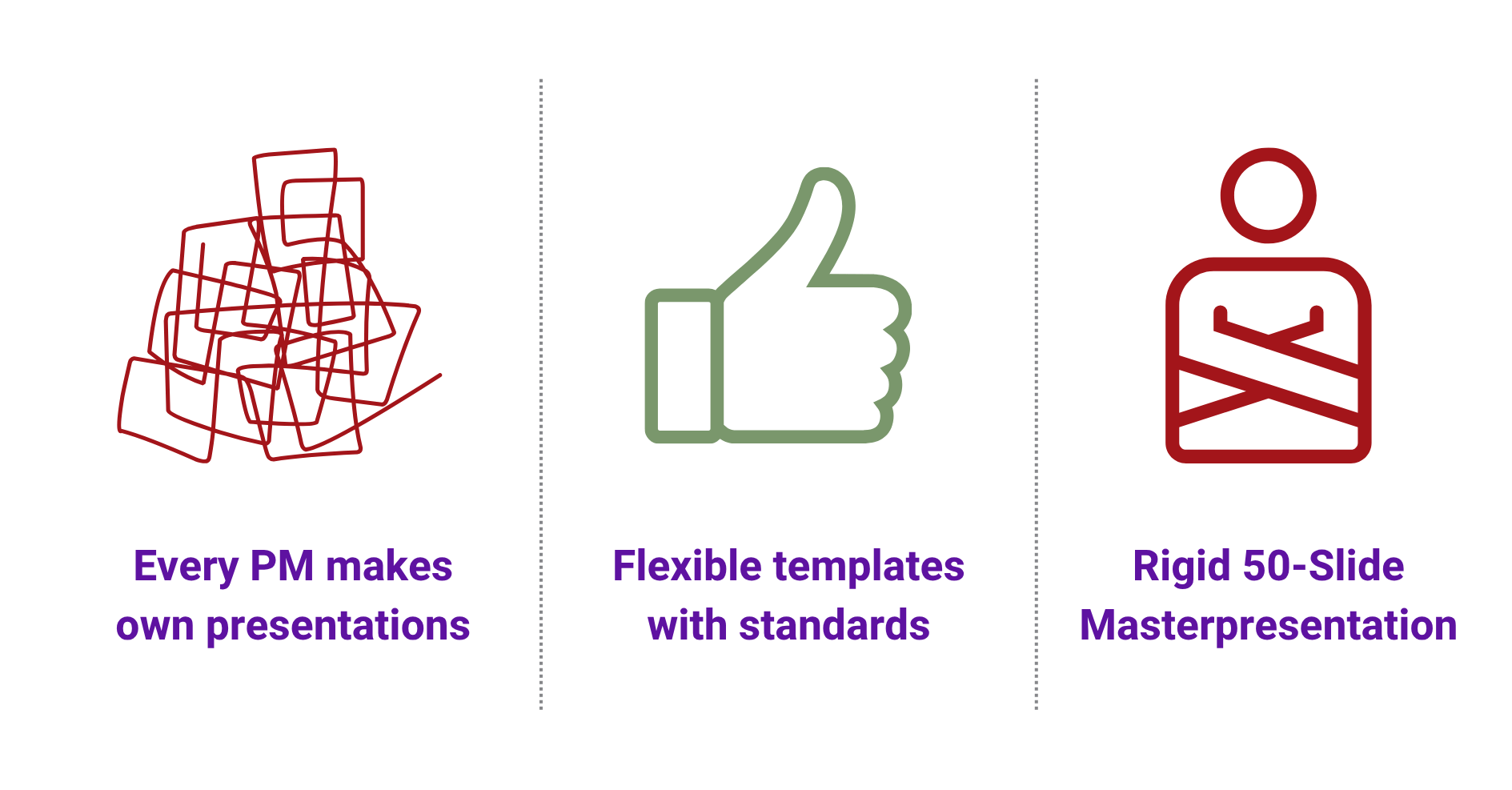
A new project manager starts his first project and asks for the template for the project presentation. The answer comes hesitantly: “Yes, there should be one somewhere… I’ll send you the one from the last project.” What he then receives is a PowerPoint file from 2019 with outdated logos, a team that no longer exists and processes that have since been completely revised. So he has to create his project presentation from scratch. The result: each team develops its own standards and C-Level receives presentations in numerous different formats.
The other extreme is just as problematic. Rigid corporate templates in the project management software that are so inflexible that nobody uses them. The PMO has developed a detailed 47-slide template in which every slide is mandatory. Even for a small marketing project, the same structure must be used as for the construction of a power plant. As a result, the template is ignored and everyone makes up their own solution.
The result in both cases: no real standardization, no comparability between projects, no professional external appearance – an effective document management system is completely missing.
The three biggest template traps
The “one size fits all” problem with project templates
An IT project in agile project management requires completely different content than a marketing campaign. A waterfall construction project follows different milestones than an agile software sprint. Nevertheless, many solutions have exactly one template for all project types. This leads to challenging situations: IT projects have to delete slides about “site safety”, while marketing teams are forced to insert “technical specifications”. The result: the template is perceived as irrelevant and ignored.
No clear degree of freedom in document management
What can the project manager change in the slides? What is mandatory? What is optional? These questions usually remain unanswered. Without clear rules in document management, a gray area is created in which everyone develops their own interpretation. One person deletes generously, another meticulously follows every specification – even if it makes no sense. The result: no real consistency.
Project templates are never updated
A template is created once, uploaded to SharePoint and then forgotten. Three years later: old corporate design, outdated processes, departments that no longer exist. Maintenance in the document management system remains unresolved, causing content to become increasingly outdated.
What characterizes intelligent project templates
The solution lies in better project templates – ones that set real standards, whether for agile project management, waterfall projects or hybrid approaches – without restricting project managers. The advantages of a document management system become particularly clear here.
Flexibility through defined degrees of freedom in project presentations
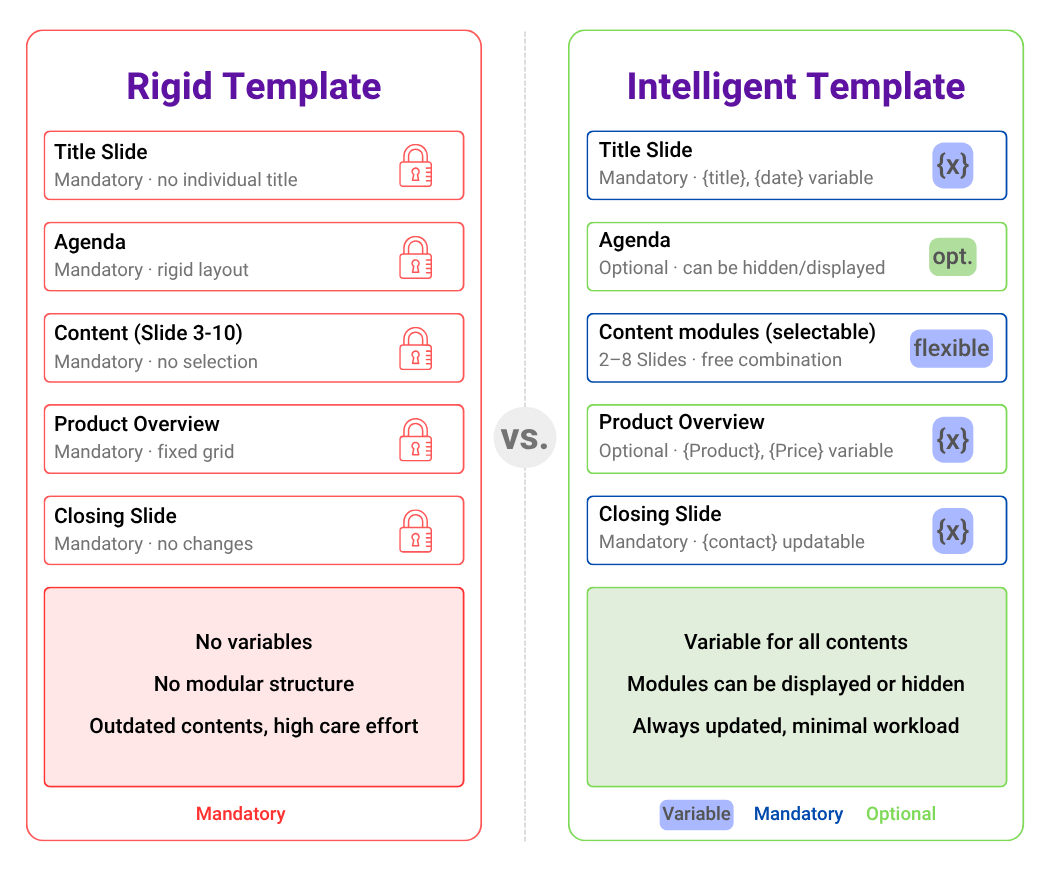
Intelligent project templates explicitly differentiate between three categories: Mandatory slides must always be present – for example: executive summary, risk matrix and budget overview. Optional slides can be added or omitted depending on the type of project. Free areas provide space for project-specific analyses and individual content.
These different settings in the project management software reduce uncertainty and prevent endless discussions. Project managers know immediately where they have freedom and where standards apply.
Automation through variables in document management
Project name, project manager name, customer, start and end date – this metadata is entered once centrally and then appears automatically on all relevant slides in the presentation. If the project name changes, all it takes is one click and it is updated everywhere. No manual search, no forgotten places, no inconsistencies.
Project type-specific templates for agile project management
An IT project template for agile project management contains sprint planning and system architecture. A marketing template focuses on campaign strategy and KPI dashboard. A waterfall template works with Gantt charts and phase gates. This means that every project gets the project template that really fits.
Central administration and clear governance
Project templates are maintained centrally, not scattered in countless different folders. Updates are made once and are immediately available to everyone. Clear governance regulates who is allowed to create and change templates. Typically, the PMO maintains the master templates, compliance checks legal sections and project managers provide feedback on practical suitability. The benefits are clear here: centralized maintenance, version control and consistent standards.
Practical example: From template chaos to efficient project management software
A medium-sized IT consultancy with one hundred and twenty employees and forty parallel projects was faced with the classic problem: project managers either created their project presentations from scratch or laboriously adapted old presentations. The C-level could hardly compare projects, compliance requirements were sometimes fulfilled, sometimes not. There was no structured management of the templates.
The concrete pain: Project manager Thomas regularly forgot the mandatory risk matrix in his presentation. Project manager Sarah spent two hours each time updating the project name and date on fifteen slides. Project manager Michael unknowingly used a template from 2018 with an old logo.
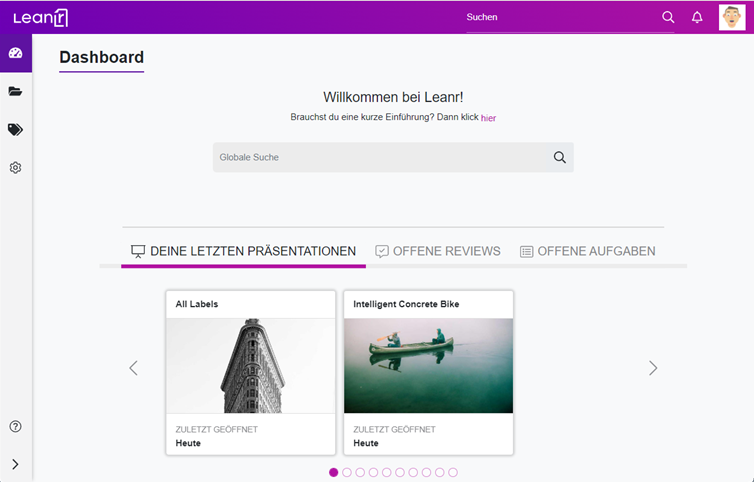
The solution was implemented with Leanr in several phases. The PMO identified three main types: Software Development (Agile), IT Infrastructure (Waterfall), and Hybrid Consulting projects. A specific project template with clear degrees of freedom was created for each type – particularly important for agile project management.
The following were marked as mandatory for the software development template in agile project management: Executive summary, sprint overview, risk matrix, budget, compliance. Optional: team structure, technology stack, stakeholder map. Variables for project name, PM name, customer and data were set up. The executive summary was fixed as position one, the compliance section was locked.
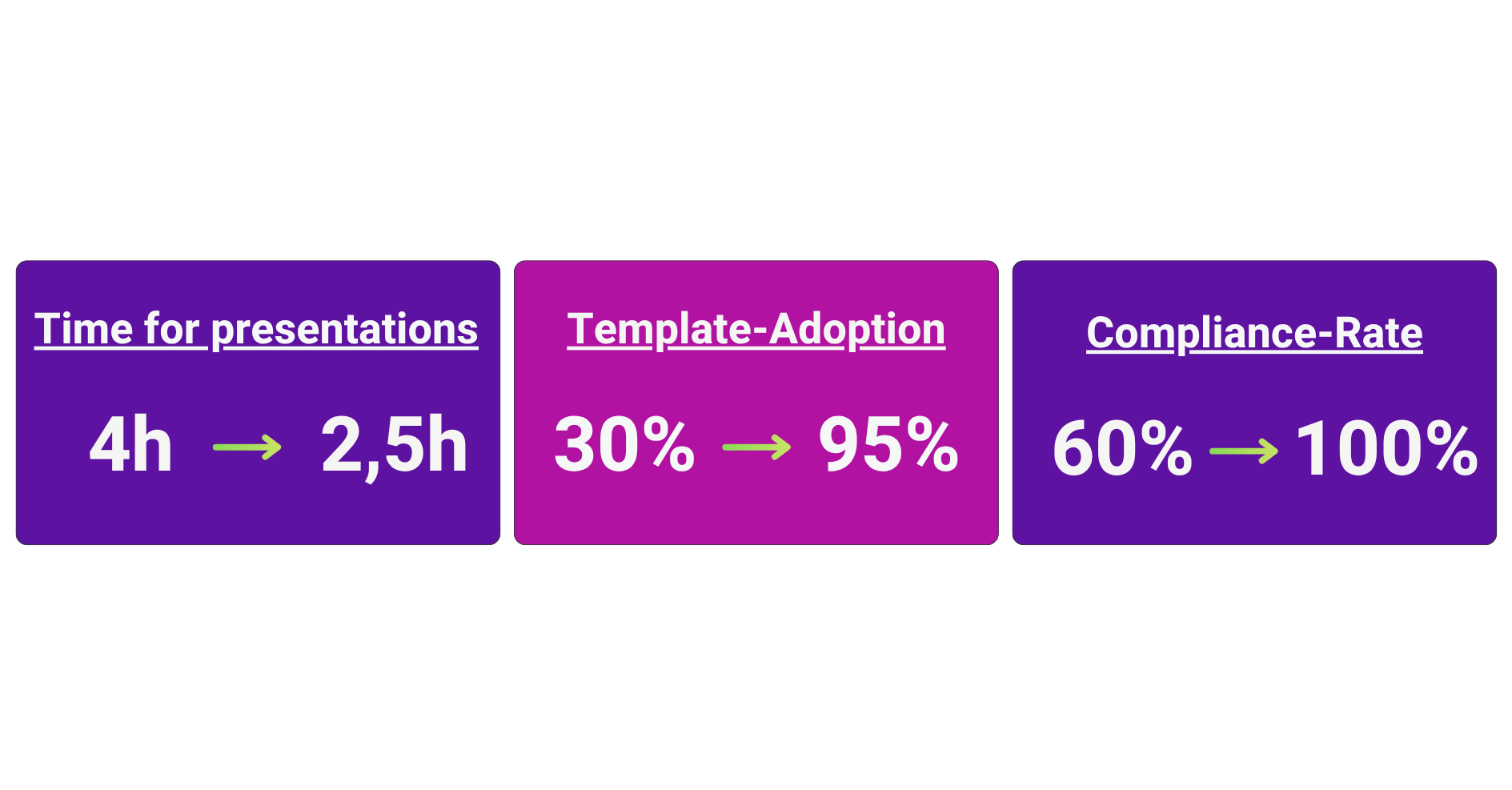
The result after three months: Adoption rate of ninety-five percent. Time savings of forty percent – from four hours to two and a half hours. Compliance rate of one hundred percent. C-level feedback: “At last I can compare projects directly.”
Project manager Sarah reported: “I used to spend ages changing the project name in my project presentation everywhere and then forget a slide. Now I change it once centrally in Leanr and it’s updated everywhere. That’s a game changer.”
How Leanr enables intelligent project templates
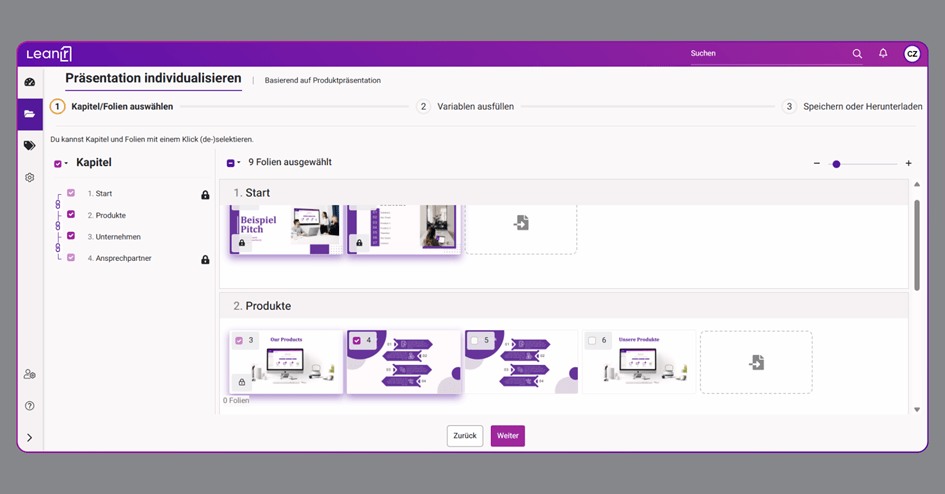
Leanr was developed precisely for these requirements. The template is created with three clearly defined levels: Mandatory slides are inserted automatically and cannot be deleted. Standard slides are suggested and are optional. Free areas allow you to create your own slides.
The variable system in the document management system is extremely simple: variables such as project name, PM name and start date are defined centrally and then automatically appear everywhere. When changes are made, one click is enough for consistent updating.
Blocking and grouping protect critical content. Certain slides can be blocked so that only authorized roles can edit them. The executive summary can be defined as immovable position one.
Specific project templates can be created for different project types: IT Project Agile, IT Project Waterfall, Marketing Campaign, Consulting Project. The central template library with version control ensures that nobody works with outdated project templates.
You can find out how other companies have solved template management with Leanr in our references.
Best practices for successful implementation
Starting small is better than tackling everything at once. Start with the two to three most common project types – such as agile project management for IT projects or classic waterfall for construction projects – which cover seventy to eighty percent of all projects. The initial experiences will flow into later project templates.
Involve project managers right from the start. Templates that are created without user input are rarely accepted. Workshops, prototype tests and feedback rounds before release lead to a high level of acceptance and practical decks.
Set balanced degrees of freedom. A tried and tested rule of thumb: twenty to thirty percent mandatory slides, thirty to forty percent optional, thirty to forty percent free. This balance sets standards in agile project management without stifling creativity.
Define governance early on. Clear roles must be defined from day one: Who creates project templates? Who maintains them? Who releases them? This distribution of responsibilities prevents templates from being forgotten once they have been created.
Measuring and communicating success: What is the adoption rate? How much time is saved during presentations? How satisfied are stakeholders? These metrics make the benefits visible and help to make the system the standard – read more about this in our article on change management in presentation management.
Create a project presentation: The most important findings
Project templates do not have to be a field of tension between chaos and straitjacket. With the right principles and intelligent software, real standards can be established without restricting project managers.
The basics are clear: project type-specific templates prevent the “one size fits none” problem. Defined degrees of freedom create clarity about mandatory, optional and free areas. Variables eliminate redundant work through automatic updating. Central management puts an end to template proliferation. Clear governance ensures that templates remain up to date.
The investment pays off several times over: Forty to fifty percent time savings when creating project presentations. One hundred percent compliance thanks to mandatory sections. Comparability between projects for better decisions. Consistency in external presentation to stakeholders.
Good project templates are the basis for professional project management at scale – they save time, create standards and at the same time give project managers the flexibility they need.
See Leanr in action: Try out our interactive demo for project management and experience for yourself how easy intelligent project templates work – with degrees of freedom, variables and centralized management. Or arrange a personal demo and let us show you how Leanr can simplify your project management.