


Why Compliance in Presentations Is More Than Just a Formality
In regulated industries such as banking, insurance, or financial services, it is not only the content of a presentation that determines success or failure, but also its legal compliance. A single outdated slide, an unapproved disclaimer, or a revised risk warning that hasn’t yet been included in the current version: Mistakes like these can lead to severe penalties. At the same time, sales teams must be able to react quickly and easily implement compliance requirements in their day-to-day work.
The real problem: Too many versions, too little control
Imagine the following situation: A sales representative is preparing for a meeting with a client. She searches for the latest product presentation and finds three files on the shared drive with similar names, different dates, and no clear indication of which one is the approved version. She chooses the file with the most recent modification date and ends up presenting the customer with terms and conditions that have been invalid for two weeks.
In large companies, this scenario is not an exception but a structural problem. When different departments, sales teams, or external partners create, modify, and share presentations on their own, the company quickly loses control over which version is actually being used in the field. Especially in regulated environments, where compliance requirements for presentations stem from frameworks such as MiFID II or the Insurance Distribution Directive (IDD), this loss of control is not an abstract risk: it can have concrete legal consequences.
What’s at stake
The consequences of a lack of control over presentation content can be divided into three categories. First, there is the risk of regulatory sanctions: Authorities such as BaFin review whether sales materials comply with legal requirements. Second, reputational damage occurs when customers receive conflicting information from different versions of the presentation. Third, the company loses internal efficiency because approval processes must be repeated multiple times if errors are discovered only after the presentation has been delivered to external audiences.
What a compliance-compliant presentation must actually achieve
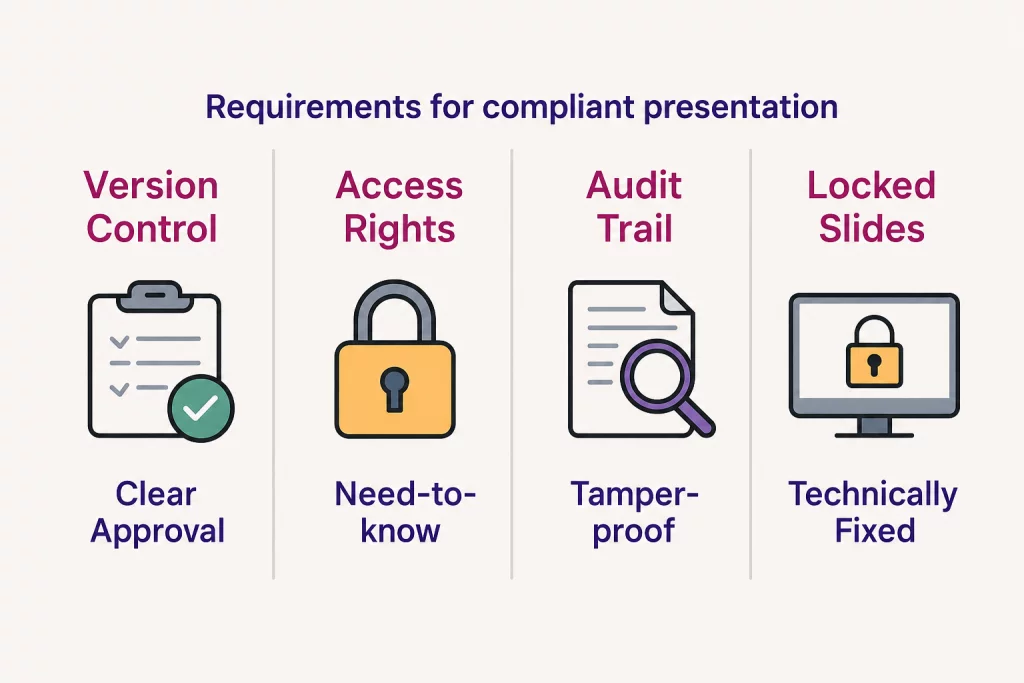
A compliant presentation is not limited to containing formally correct texts. It must be traceable, up-to-date, and usable exclusively in its approved form throughout its entire lifecycle. Specifically, this means:
- Version Control: It must be clearly identifiable at all times which version is currently valid.
- Access Control: Not every employee is allowed to view or edit every presentation. The “need-to-know” principle protects sensitive content and determines who is authorized to edit which slides.
- Traceability: Changes to content must be documented. Who changed what, when, and was that change authorized?
- Approval Processes: Presentations must be reviewed and approved by designated departments—such as the compliance department, legal department, or product management—before being used externally.
- Mandatory Content: Certain slides or sections—such as risk disclosures or required regulatory disclosures—must not be removed, altered, or reordered.
The challenge is not only to meet these requirements in theory, but also to integrate them into the actual workflow without slowing down sales.
Compliance and Flexibility: Not a Contradiction
A common misconception in practice is that strict compliance requirements inevitably lead to rigid, non-customizable presentations. That is not true. It is possible to establish mandatory structures and content while simultaneously allowing for context-specific customizations, such as the customer’s name, the location of the meeting, or regional offer details. The key lies in explicitly defining the scope of flexibility: What is mandatory, what is allowed to vary, and what is expressly prohibited? Such a control framework enables sales representatives to create professional and customized presentations without altering content that is subject to compliance requirements.
An intelligent presentation management system makes it possible to strike exactly this balance. Variable fields automatically insert custom information such as the client’s name or consultant details, while required slides remain technically locked and cannot be deleted or moved.
How a Central Presentation Management Hub Solves the Problem
A central content hub for presentations provides the technical foundation for structurally embedding compliance requirements, rather than leaving them up to the sense of responsibility of individual employees. Instead of distributing presentations via email or storing them on network drives, all stakeholders access a single, centrally managed source. Updates take effect immediately, without the need to notify employees or manually redistribute files.
The audit trail documents all relevant changes in an audit-proof manner, which is a significant advantage during regulatory inspections or internal audits. The role-based access control system precisely defines who is authorized to view, edit, or approve specific content. With a single click, presentations can be published or locked as soon as a new version is available or an old version needs to be withdrawn.
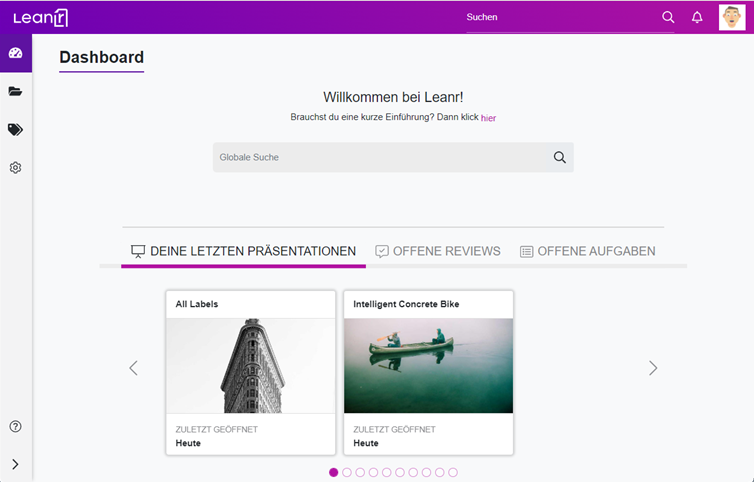
With a system like Leanr, this control logic can be integrated directly into the presentation process: Required slides are technically locked, approval processes take place within the system, and usage statistics clearly show which presentations and slides are actually being used. This makes it possible to specifically identify and replace outdated content before it causes damage in customer interactions.
Leanr’s use cases in the areas of compliance and sales management illustrate how these functions work together in practice.
Digitizing Approval Processes
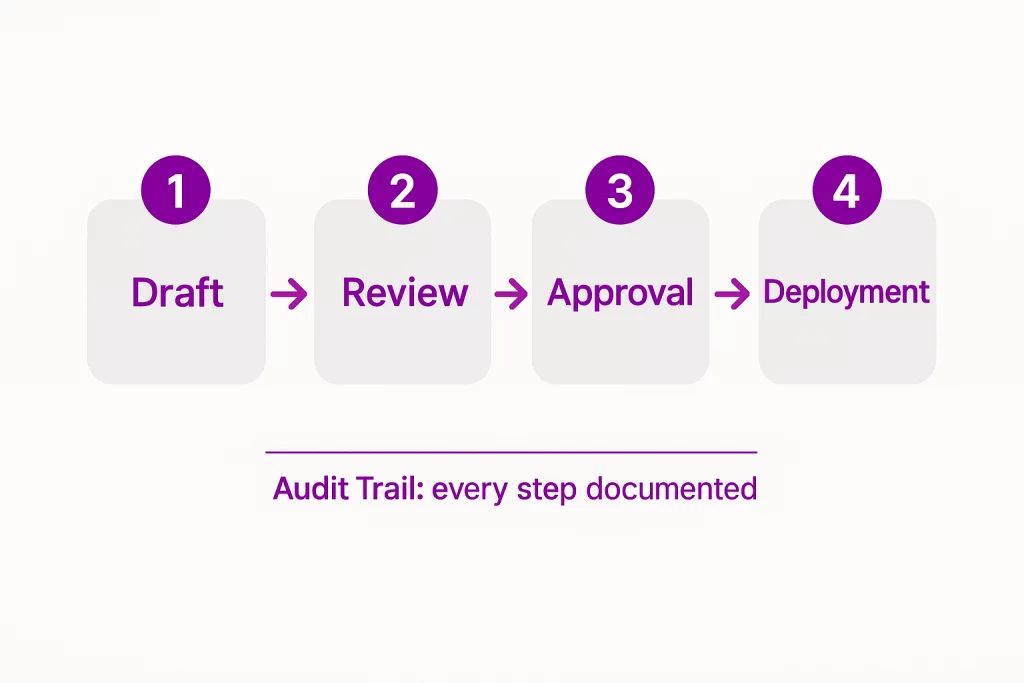
In large companies—and especially in financial and insurance firms—new presentations typically go through multi-step approval processes: Product management, the legal department, the compliance team, and marketing management review the content—either sequentially or in parallel—to ensure it is accurate, complete, and legally compliant. Without digital support, this leads to long wait times, unclear responsibilities, and media discontinuities.
An intelligent presentation management hub maps out these processes in a structured way. Review workflows, clear approval stages, and automatic notifications about new or updated versions ensure that no content reaches the sales team without undergoing the necessary review steps. The result is not only a presentation that better complies with regulations, but also a faster process overall, because errors are detected earlier and feedback loops are reduced.
The article on efficient sales enablement using an intelligent content hub provides a practical overview of how sales teams use these processes in their day-to-day work.
As an intelligent presentation management hub, Leanr brings all of these requirements together in a single application. The “need-to-know” principle, a robust role-based system, audit-proof changelogs, and the technical locking of mandatory slides ensure that only approved and up-to-date content is used in client meetings. At the same time, the sales team retains its ability to act, as context-specific adjustments remain possible within clearly defined parameters. Leanr’s ROI calculator shows just how significant the potential savings are for your company through reduced correction efforts and more secure processes.
Conclusion
Compliance-compliant presentations are not an optional standard in regulated industries, but an operational necessity. The real risk rarely lies in malicious intent, but rather in a lack of structure: too many versions in circulation, too little transparency regarding usage and approval status, and too little technical control over what is actually presented during client meetings. To meet compliance requirements for PowerPoint presentations on an ongoing basis, you don’t need additional manual review steps—you need a process that structurally embeds compliance. A centralized presentation management system provides exactly this foundation by technically ensuring approvals, access rights, mandatory content, and traceability.
Would you like to see how Leanr can specifically map out these processes in your company? Schedule a demo and see Leanr in action.
Frequently Asked Questions (FAQ)
What does a compliance-compliant presentation mean in practice? A compliance-compliant presentation meets all applicable regulatory, legal, and internal requirements regarding content, approval status, and traceability. This includes accurate risk disclosures, approved product information, and a documented approval process. In regulated industries such as banking and insurance, this is not a recommendation but a requirement stemming from, among other things, MiFID II or IDD.
How can you prevent outdated versions of presentations from being used in sales? The most effective approach is a centralized presentation management system that ensures all employees can access only the currently approved version. Older versions are automatically locked or archived as soon as a new version is released. Manual distribution via email or network drives is a structural risk factor that a central hub eliminates.
Can presentations be both compliant and customizable? Yes, provided that the customization options are clearly defined and technically limited. Using a “degrees of freedom” approach, mandatory slides or chapters can be locked, while other sections remain open for context-specific customizations, such as customer names or regional details. This way, customization and compliance with rules are not mutually exclusive.
What is an audit trail, and why is it important for compliance presentations? An audit trail is an audit-proof record of all changes made to a document or presentation, including timestamps, the person responsible, and the nature of the change. During regulatory inspections or internal audits, it provides evidence that content was modified only by authorized individuals and that the approval process was followed.
Which industries benefit most from compliance-compliant presentation processes? Financial service providers, banks, and insurance companies—which are subject to regulatory oversight—are particularly affected. However, companies in the pharmaceutical industry, the healthcare sector, or those with strict internal corporate governance requirements also benefit significantly when presentation content is centrally managed, approved, and documented in a traceable manner.