

Did you already know?
A GfK study shows that employees spend an average of more than 20 hours a month using PowerPoint. Interestingly, over 45% of these users feel one thing above all: frustration. The main reason for this is the challenge of digital teamwork that arises when several employees create presentations. Does this sound familiar?
Let’s be honest: you know the feeling when an important project becomes a real test of patience due to chaotic teamwork. Nothing works smoothly, everyone is working on a different version of the presentation and ultimately no one has any idea what the current state of the presentation is and where it can be found.
What’s the problem with digital collaboration in PowerPoint presentations?
Versioning chaos: The classic when creating presentations!
A few changes from colleague X and here’s another change from colleague Y and you receive an email with the presentation “Final_v5” attached. A few minutes later comes “Final_v6”, then “Final_v6_new”.

Which document is the right one now? Who changed what? The overview is lost and the confusion grows.
Email ping-pong: This challenge is often triggered by the versioning chaos described in the previous paragraph.
- “Can you send me the latest version?”
- “Have you updated slide XY yet?”
- “Can you please swap the icon in the box at the bottom left of slide 7?”
This is what most email loops look like in companies that have lost track of the versions, filing locations and open tasks of a presentation. This constant sending of emails back and forth is not only annoying, but also extremely time-consuming. It also means that important information is easily overlooked.
Slide search: Are you desperately looking for a specific slide that your colleague has created, but simply can’t find it? No wonder, when the presentation consists of x-different versions and countless slides that each team colleague files in a different place.
High creation and administration costs: Constantly adding, editing and adapting slides is a real time waster. And not just once, but again and again, editing and feedback loops are repeated until the whole team is satisfied. This way of working is not only frustrating, but also particularly inefficient.
Inefficient processes: Teamwork could be made much more efficient if there was a clear overview of outstanding tasks, responsibilities and progress.
Instead, there is often confusion: Who is currently busy with which tasks? Which presentation is in progress? Who has made which changes? A lack of clarity leads to confusion and prolongs the entire process.
Repetitive workload: Do you need to update a presentation? This often means that you have to go through many manual, repetitive work steps. These repetitive tasks not only cost time, but also nerves.
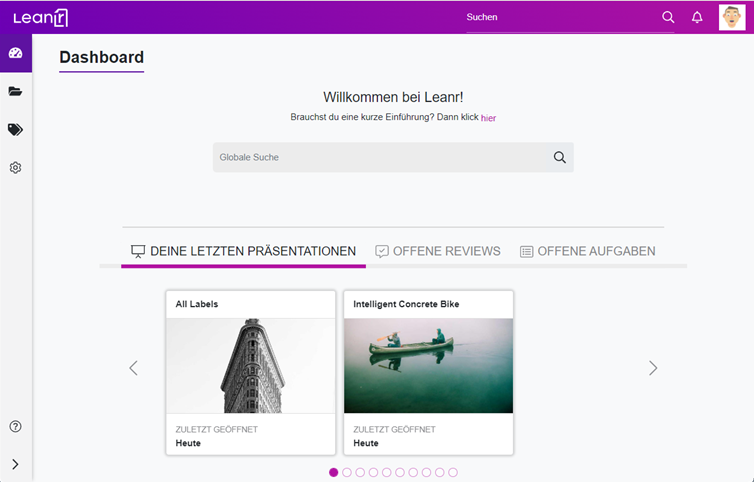
If you would like to have a first “sneak peak” of what the use of Leanr would look like from the perspective of one of your marketing employees, you can use this interactive demo to gain an initial insight into the software live.
“Provision chaos”: Lack of control over how the documents you provide to other departments are used and changed. Whether it’s the sales team or individual project groups – everyone handles presentations differently and the result is often a big mess.
No tracking of changes: It is almost impossible to track who made certain changes and when. This makes it difficult to maintain an overview and track the progress of work.
Why the whole thing is important
Anyone who has ever worked in a company that struggles with the challenges just described knows that these inefficient processes are not only frustrating, but also cost a lot of time. This lost time could have been spent on your actual core activities instead, which not only wastes valuable time but also incurs high costs. Especially when creating or managing a presentation together, it becomes clear how much potential is actually lost here.
But there is hope: it is a problem that can be solved!
With the right measures, you can not only save time and money, but also significantly increase the quality and security of your presentations.
Using Leanr for collaboration in PowerPoint – the key to success
No matter what industry you work in: Wherever a lot of work is done with PowerPoint, presentation tools are indispensable for good teamwork. They help you to get the chaos under control and make teamwork more efficient. While other tools focus primarily on supporting slide creation, Leanr goes one step further and improves your entire presentation management.
What does that mean in concrete terms?
Leanr is an intelligent content hub for presentation management, as it can consolidate all your presentation-related processes in one application, guiding users through all processes in a situation- and role-specific manner, resulting in massive time savings while minimizing potential errors and sources of frustration.
Here are a few concrete examples:
- Real-time collaboration: Your team can finally work together on a presentation. Leanr offers extensive functions to improve communication. Thanks to the slide commenting function and the integrated chat, you can check the current status of the presentation directly with your colleagues, assign tasks, give feedback and see the current editing status at a glance without having to switch tools.
- Version comparison: The version comparison with highlighting of changes ensures that you always have an overview and can see exactly who has changed what.
- E-mail notifications: These keep you informed about the current status of the presentation.
- Labeling, search and filter function: These help to quickly find the right presentation or slide.
- Centralized review processes and audit trail: These ultimately ensure that even feedback loops and obtaining approvals run centrally via one platform, that nothing can be overlooked and that all information about changes, approvals and publications is documented in one place.
No more annoying e-mail ping-pong, no version chaos, no confusion about responsibilities or open tasks – everything in one central place at a glance!
Conclusion: time to end the chaos!

If you work in an organization that relies heavily on PowerPoint, then you know how painful the problems described can be. Managers and team leaders who want to increase the efficiency of their teams should not hesitate any longer. It’s time to take back control of your presentations and eliminate the chaos of collaboration for good.
Use Leanr to manage your presentations and documents in a more secure, efficient and controlled way.
I would be happy to offer you a free, no-obligation consultation in which we can reflect your current processes and challenges directly on the use of Leanr so that you can get a clear picture of your individual benefits.You can select a suitable date directly here. For more information, I have also linked to our One Pager.